
Creating a home office space that balances comfort and productivity can transform the way you work from home. Whether you’re setting up a dedicated room or carving out a nook in your living area, creating an environment that promotes focus and relaxation is key. This post covers practical tips and ideas to help you design a cozy and productive home office space tailored to your needs.
1. Choose the Right Location
Selecting the best spot for your home office is the foundation of your workspace. Consider these factors:
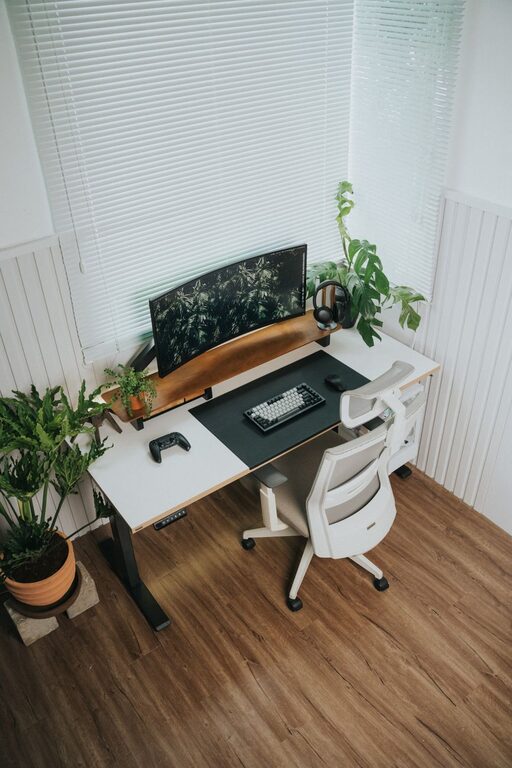
– Natural Light: Position your desk near a window if possible. Natural light can boost mood and energy levels.
– Low Distractions: Find a quiet area away from foot traffic, TVs, and noisy appliances.
– Space Availability: Make sure the space accommodates your desk, chair, and storage necessities comfortably.
If space is limited, a corner of a room or an unused closet can be converted into a functional office.
2. Invest in Comfortable and Functional Furniture
Your furniture choices significantly affect both comfort and productivity.
– Ergonomic Chair: Choose a chair that supports your lower back and encourages good posture to avoid discomfort during long work sessions.
– Desk Size: Pick a desk that fits your gear without feeling cramped but doesn’t overpower your room.
– Adjustable Elements: Consider height-adjustable desks that allow you to switch between sitting and standing positions.
Comfortable furniture reduces fatigue and helps maintain focus.
3. Optimize Lighting for Comfort and Efficiency
Proper lighting reduces eye strain and creates a welcoming atmosphere.
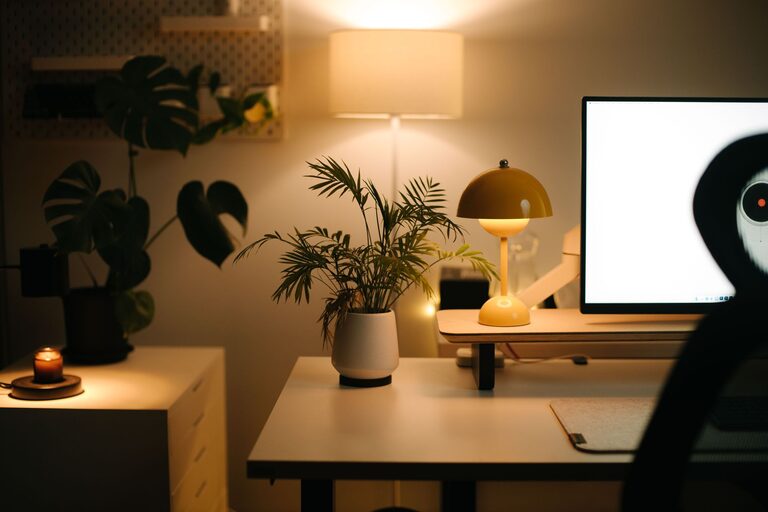
– Layered Lighting: Combine ambient lighting with task lighting. A bright overhead light plus a desk lamp help illuminate your workspace effectively.
– Warm Light Temperature: Choose bulbs with a warm color temperature (around 2700K–3000K) to create a cozy feel.
– Glare Reduction: Position lights so they don’t glare on your screen or workspace.
Using adjustable lamps allows you to tailor lighting throughout the day.
4. Personalize Your Space Tastefully
Adding personal touches makes your workspace inviting without causing distractions.
– Plants: Small indoor plants improve air quality and add a splash of green.
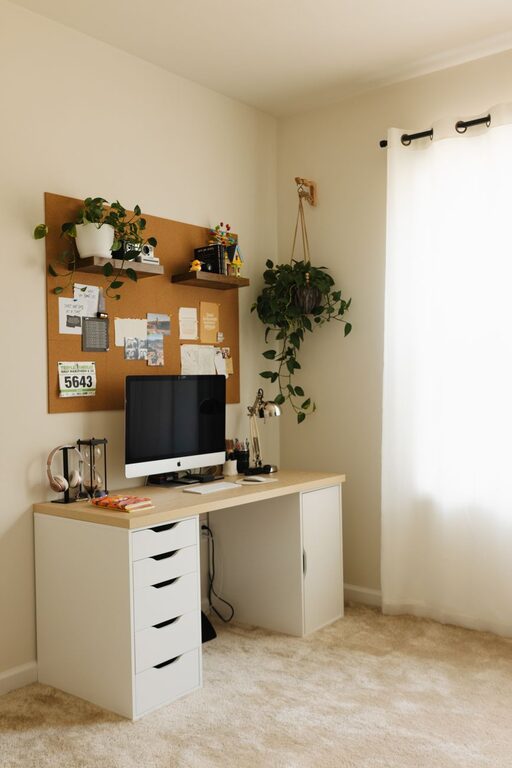
– Wall Art or Motivational Quotes: Choose pieces that inspire you but keep them minimal to avoid clutter.
– Organized Desk Accessories: Use stylish containers, trays, or shelves to keep supplies handy and neat.
Personalizing helps you feel more connected to your workspace.
5. Keep Your Workspace Organized
An organized office promotes efficiency and reduces stress.
– Storage Solutions: Use drawers, shelving units, or filing cabinets to keep papers and supplies out of sight.
– Cable Management: Use clips, sleeves, or boxes to keep cords tidy and prevent tangling.
– Daily Clean-Up: Spend a few minutes at the end of the day putting things back in place.
Regular organization prevents clutter from building up and keeps your mind clear.
6. Incorporate Technology Thoughtfully
Technology should simplify your work, not complicate it.
– Reliable Equipment: Invest in a good computer or laptop, fast internet, and a quality headset or speakers.
– Multiple Screens: If your work involves multiple windows or applications, adding a second monitor can boost efficiency.
– Charging Stations: Have a dedicated spot for charging devices to stay powered throughout the day.
Setting up your tech properly minimizes interruptions and delays.
7. Create Boundaries to Separate Work and Life
Especially in a home environment, separating your workspace from leisure areas helps maintain balance.
– Physical Boundaries: Use room dividers, curtains, or furniture arrangements to clearly mark your office space.
– Set Working Hours: Stick to a schedule to avoid overworking and help your household know when you’re unavailable.
– End-of-Day Routine: Create a ritual that signals the end of your workday, like turning off your computer or closing a door.
Boundaries help you focus during work hours and relax afterward.
8. Add Comfort Elements
Comfort boosts productivity by making your workspace inviting.
– Soft Textiles: Add a cozy rug, cushions, or a throw blanket for warmth.
– Temperature Control: Ensure the room is well-ventilated or heated/cooling systems are in place.
– Refreshment Station: Keep a water bottle or small snack nearby to stay hydrated and energized.
Small comfort touches make your office a pleasant place to spend time.
9. Enhance Acoustics for Focus
Good sound conditions improve concentration.
– Noise-Cancelling Headphones: Useful if your home environment is noisy.
– Soft Furnishings: Curtains, rugs, and cushions absorb sound and reduce echo.
– Background Music: Some people find low-volume instrumental music helpful for focus.
Experiment to find the sound environment that works best for your productivity.
—
Designing a cozy and productive home office is all about creating a space that supports your work habits and makes you look forward to spending time there. By combining thoughtful location choices, ergonomic furniture, good lighting, personal touches, and organization, you can build a home office that helps you stay focused and comfortable all day long. Take the time to customize your space and adjust as your needs evolve to maintain a positive work-from-home experience.